Buy pfirsich.eu ?
We are moving the project
pfirsich.eu .
Are you interested in purchasing the domain
pfirsich.eu ?
domain@kv-gmbh.de · 0541-91531010
Buy pfirsich.eu ?
Has the touchpad disappeared?
No, the touchpad has not disappeared. It is still a common feature on laptops and other electronic devices. In fact, touchpads have evolved and improved over the years, offering more functionality and precision. Some devices also offer touchscreens as an alternative input method, but the touchpad remains a popular and essential component for navigating and interacting with digital interfaces. **
How do you use a touchpad?
To use a touchpad, you can move your finger across the surface to move the cursor on the screen. Tapping on the touchpad with one finger is equivalent to a left-click on a mouse, while tapping with two fingers is equivalent to a right-click. You can also use gestures such as swiping with multiple fingers to navigate between open applications or scroll through a webpage. Additionally, you can adjust the touchpad settings in your device's system preferences to customize its sensitivity and functionality to suit your preferences. **


Similar search terms for Touchpad
Top-Angebote
Products related to Touchpad:
-
Monika Blunder Beauty Sweet Talk Lip Gloss 4,9mL PfirsichA lip gloss. Get luscious lips with MB Sweet Talk Lip Gloss —a vegan, cruelty-free formula infused with fruit extracts for intense hydration and vibrant color. Intense hydration: Moisture-locking Fruit Extracts quench dry lips. Nourishing formula: Vitamin E Oils provide essential lip care. Silky smooth texture: Sustainable Brown Algae Oil ensures a comfortable wear.17,67 £*Shipping: 4,07 £Secure redirect to the provider
-
Logitech K400 Plus Wireless Touch TV Keyboard with Built-in Touchpad, Media Controls, QWERTY UK Layout - Black, NewThe Logitech K400 Plus wireless keyboard provides comfortable, integrated control for your PC-to-TV entertainment setup. With a built-in touchpad, media controls, and a long-lasting battery life, this keyboard offers seamless navigation and convenience for your smart TV, laptop, or PC. Media-Friendly Design: Control your PC-to-TV entertainment with ease, eliminating the need for a separate keyboard and mouse. Plug-and-Play: Simply plug in the USB receiver, and the keyboard is ready to use. Customize settings with Logitech Options software. Long Battery Life: Enjoy up to 18 months of power, with an on/off button to extend battery life further. Wireless Freedom: 10-meter wireless range ensures seamless control and comfort, with quiet keys and a large multi-touch trackpad for smooth navigation. Broad Compatibility: Works with Windows 7 and later, Android 7 or later, and Chrome OS, making it a versatile option for various devices. Durable and Spill-Resistant: Built to withstand minor spills and provide reliable performance over time. Brand: Logitech Compatible Devices: Laptop, Smart TV, PC Connectivity Technology: RF Wireless Keyboard Layout: QWERTY, UK Special Features: Spill-Proof, Multi-Touch Trackpad, Long Battery Life Number of Keys: 104 Colour: Black Dimensions: Standard size39,99 £*Shipping: 0,00 £Secure redirect to the provider
-
Gosh Juicy Lip Butter 002-Sweet TreatHealth and Beauty Lips Gosh Juicy Lip Butter 002-Sweet Treat What is Juicy Lip Butter? Juicy Lip Butter is a Gosh lip balm that's somewhere between a balm, lipstick, and gloss. It melts onto the lips like butter, leaving a translucent color with plenty of shine, but without the runny texture or sticky feel of a traditional lip gloss. Benefits Glazed effect finish: lips look juicy and luminous from the first stroke. Transparent to medium color, easy to wear without a mirror and without fear of going outside the outline. It contains nourishing oils and butters, such as shea and murumuru butter, and vitamin E , which leave lips feeling moisturized and comfortable. The manufacturer indicates a duration of up to 6 hours of comfort. Perfume-free and vegan-friendly formula, according to Gosh. Who is it for? For those who want the shine of a gloss with the convenience of a balm in stick form. It's perfect for natural makeup looks, for dry lips that don't tolerate matte lipsticks, and for anyone looking for a product for easy touch-ups throughout the day. How to apply Juicy Lip Butter? Glide the lipstick directly onto your lips with even pressure, following their natural shape. For added definition, line your lips before or after applying a lip pencil in a similar shade. For a more intense finish, apply a second coat over the first. Product use Lipstick for external use. Close the cap tightly after each use and store away from heat sources, as its buttery texture softens at high temperatures.9,54 £*Shipping: 3,99 £Secure redirect to the provider
-
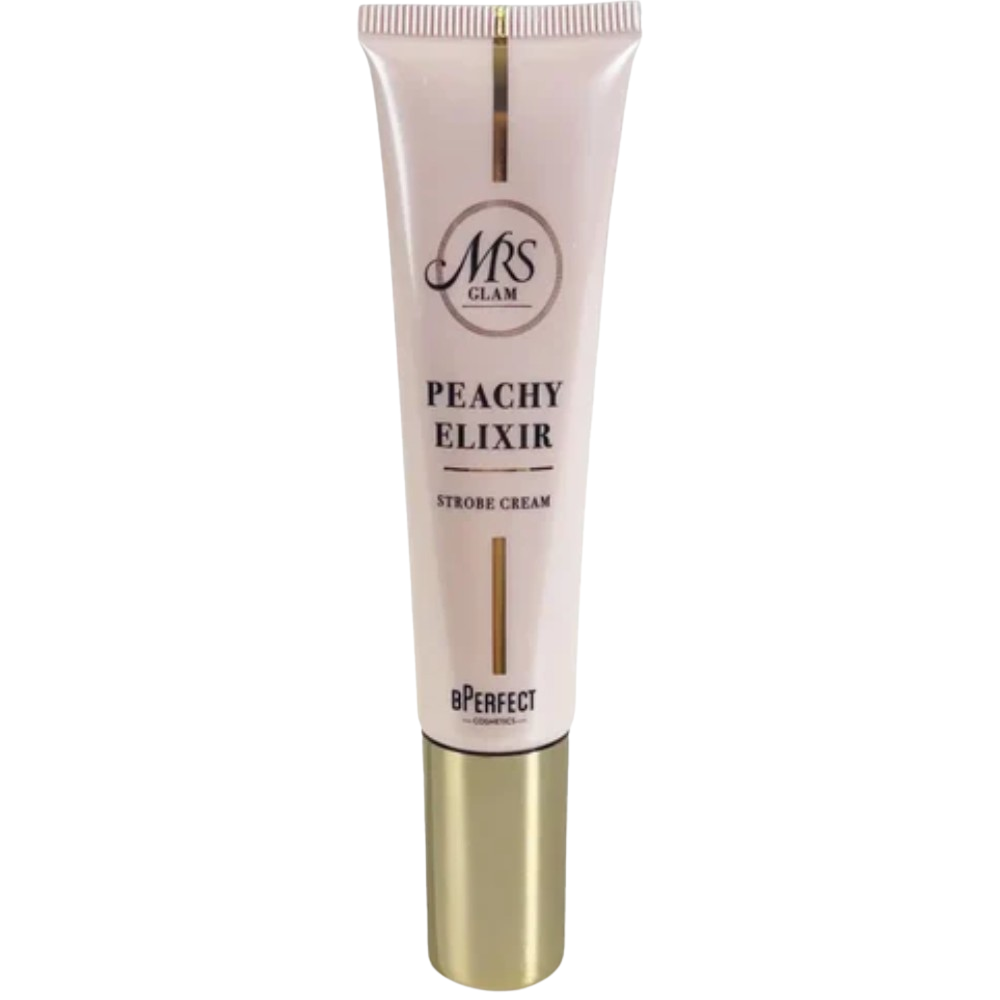
Bperfect Mrs Glam Peachy Elixir Strobe Cream for Face 35mL PeachyA foundation for dark spots and uneven skin tone. With a lightweight texture and a delightful peach scent, it effortlessly hydrates while addressing skin concerns such as dryness and uneven tone. Transform your makeup routine with a luminous glow that lasts all day. Multi-use formula: acts as a moisturiser, primer, illuminator, and highlighter.14,27 £*Shipping: 5,16 £Secure redirect to the provider


-
How can I reactivate my touchpad?
To reactivate your touchpad, you can try pressing the function key (usually labeled "Fn") along with the touchpad enable/disable key (often located on the F1-F12 keys, with a touchpad icon). If that doesn't work, you can go to your computer's device manager, find the touchpad device, and enable it from there. If you're using a Windows computer, you can also go to the Control Panel, then to the Mouse settings, and enable the touchpad from there. If none of these methods work, you may need to update or reinstall the touchpad driver. **
-
Why is the touchpad not unlocking?
The touchpad may not be unlocking due to a variety of reasons. It could be a software issue, such as a driver problem or a setting that needs to be adjusted. It could also be a hardware issue, such as a malfunctioning touchpad or a loose connection. Additionally, the touchpad may not be unlocking if it is disabled in the system settings. It's important to troubleshoot and identify the specific cause in order to resolve the issue. **
-
How can I completely disable the touchpad?
To completely disable the touchpad on your laptop, you can usually do so through the device's settings. You can access the touchpad settings by going to the Control Panel or Settings on your computer, then finding the touchpad options and disabling it. Another way to disable the touchpad is by using a keyboard shortcut if your laptop has one. If you prefer a more permanent solution, you can also physically disconnect the touchpad from the motherboard inside your laptop, but this option requires technical expertise. **
-
How do I completely uninstall the touchpad?
To completely uninstall the touchpad on your computer, you can go to the Device Manager in the Control Panel. Locate the touchpad under the "Mice and other pointing devices" section, right-click on it, and select "Uninstall device." Make sure to check the box that says "Delete the driver software for this device" to remove all associated drivers. Once the touchpad is uninstalled, restart your computer to complete the process. **


Is the touchpad on the laptop crooked?
To determine if the touchpad on the laptop is crooked, you can visually inspect it by looking at the alignment with the rest of the laptop. If it appears misaligned or tilted compared to the surrounding area, then it may be crooked. Additionally, you can try using the touchpad to see if it feels off-center or if it affects the functionality. If you suspect that the touchpad is crooked, it may be best to contact the manufacturer or a technician for further assessment and potential repair. **
Do the mouse and touchpad not work?
If the mouse and touchpad are not working, it could be due to a variety of reasons. It could be a hardware issue such as a loose connection or a faulty device. It could also be a software issue such as outdated drivers or a system error. To troubleshoot the problem, try connecting a different mouse or using an external mouse to see if it works. Additionally, check the device manager to ensure that the drivers are up to date and functioning properly. If the issue persists, it may be necessary to seek professional assistance to diagnose and fix the problem. **
Top-Angebote
Products related to Touchpad:
-
Logitech Wireless Touch Keyboard K400 Wireless Keyboard With Touchpad - BlackDescription The Logitech Wireless Touch Keyboard K400 combines a keyboard with a built-in multi-touch touchpad for convenient control from a distance. It is designed for people who want to control a laptop connected to a TV, including while browsing the web from the couch. Quiet keys with bold, easy-to-read characters support comfortable typing, while the large 3.5-inch touchpad provides multi-touch navigation for easier web browsing. The wireless connection offers a range of up to 10 metres, or 33 feet, and uses a tiny Logitech Unifying wireless receiver that plugs into a laptop's USB port. The keyboard works with Windows XP, Windows Vista, Windows 7 and Windows 8, as well as Windows 8 RT. An essential addition for home entertainment setups, TV-connected laptops and convenient wireless web browsing.74,99 £*Shipping: 0,00 £Secure redirect to the provider
-
Eclat Tech Ltd Xiaomi Pad 6S Pro Touchpad Keyboard - Black, New.gadcet-pdp{--g-green:#00a651;color:#1f2430;line-height:1.55;font-size:inherit;max-width:760px}.gadcet-pdp>*:first-child{margin-top:0}.gadcet-pdp p{margin:0 0.9em}.gadcet-pdp h3{font-size:1.05em;font-weight:600;color:#11161f;margin:1.4em 0.5em;padding-left:.5em;border-left:3px solid var(--g-green);border-radius:0;line-height:1.3}.gadcet-pdp ul{list-style:none!important;margin:0 0.9em;padding:0!important}.gadcet-pdp ul li{position:relative;padding:.1em 0.1em 1.5em;margin:0}.gadcet-pdp ul li::before{content:"";position:absolute;left:.16em;top:.45em;width:.36em;height:.66em;border:solid var(--g-green);border-width:0.14em.14em 0;transform:rotate(45deg)}.gadcet-pdp table{width:100%;border-collapse:collapse;margin:.3em 0 1em;font-size:.95em;border:1px solid #e7e9ee!important;border-radius:8px;overflow:hidden}.gadcet-pdp table td{padding:.5em.8em;border-bottom:1px solid #eef0f4!important;vertical-align:top}.gadcet-pdp table tr:last-child td{border-bottom:0!important}.gadcet-pdp table tr:nth-child(even){background:#f7f9f8}.gadcet-pdp table td:first-child{font-weight:600;color:#454c59;width:40%}@media (max-width:600px){.gadcet-pdp table td:first-child{width:42%}} Enhance your Xiaomi Pad 6S Pro experience with this versatile touchpad keyboard, designed for effortless productivity and seamless navigation. Key Features Bluetooth connectivity for wireless convenience Integrated touchpad for intuitive cursor control Intelligent RGB backlighting for comfortable typing in any light Magnetic attachment for secure and easy mounting Dedicated hotkeys and gestures for streamlined operation Durable membrane keyboard design Modern, sleek style Benefits Transform your tablet into a laptop-like device Type faster and more accurately on the go Work or play comfortably in low-light conditions Quickly switch between typing and touch control Organise your workflow with efficient shortcuts Specifications Brand Xiaomi Compatible devices Tablet Connectivity technology Bluetooth Keyboard description Membrane Recommended uses Tablet input, text input Special feature Intelligent backlighting, magnetic attachment, hotkey gestures, touchpad Colour Black Keyboard backlighting colour support RGB Style Modern Product dimensions 6L x 6W x 6H millimetres What You'll Receive Xiaomi Pad 6S Pro Touchpad Keyboard in Black. Ideal For Users looking to maximise their Xiaomi Pad 6S Pro for work, study, or content creation, offering a more efficient and comfortable input experience.139,00 £*Shipping: 0,00 £Secure redirect to the provider
-
Monika Blunder Beauty Sweet Talk Lip Gloss 4,9mL PfirsichA lip gloss. Get luscious lips with MB Sweet Talk Lip Gloss —a vegan, cruelty-free formula infused with fruit extracts for intense hydration and vibrant color. Intense hydration: Moisture-locking Fruit Extracts quench dry lips. Nourishing formula: Vitamin E Oils provide essential lip care. Silky smooth texture: Sustainable Brown Algae Oil ensures a comfortable wear.17,67 £*Shipping: 4,07 £Secure redirect to the provider
-
Logitech K400 Plus Wireless Touch TV Keyboard with Built-in Touchpad, Media Controls, QWERTY UK Layout - Black, NewThe Logitech K400 Plus wireless keyboard provides comfortable, integrated control for your PC-to-TV entertainment setup. With a built-in touchpad, media controls, and a long-lasting battery life, this keyboard offers seamless navigation and convenience for your smart TV, laptop, or PC. Media-Friendly Design: Control your PC-to-TV entertainment with ease, eliminating the need for a separate keyboard and mouse. Plug-and-Play: Simply plug in the USB receiver, and the keyboard is ready to use. Customize settings with Logitech Options software. Long Battery Life: Enjoy up to 18 months of power, with an on/off button to extend battery life further. Wireless Freedom: 10-meter wireless range ensures seamless control and comfort, with quiet keys and a large multi-touch trackpad for smooth navigation. Broad Compatibility: Works with Windows 7 and later, Android 7 or later, and Chrome OS, making it a versatile option for various devices. Durable and Spill-Resistant: Built to withstand minor spills and provide reliable performance over time. Brand: Logitech Compatible Devices: Laptop, Smart TV, PC Connectivity Technology: RF Wireless Keyboard Layout: QWERTY, UK Special Features: Spill-Proof, Multi-Touch Trackpad, Long Battery Life Number of Keys: 104 Colour: Black Dimensions: Standard size39,99 £*Shipping: 0,00 £Secure redirect to the provider
-
Has the touchpad disappeared?
No, the touchpad has not disappeared. It is still a common feature on laptops and other electronic devices. In fact, touchpads have evolved and improved over the years, offering more functionality and precision. Some devices also offer touchscreens as an alternative input method, but the touchpad remains a popular and essential component for navigating and interacting with digital interfaces. **
-
How do you use a touchpad?
To use a touchpad, you can move your finger across the surface to move the cursor on the screen. Tapping on the touchpad with one finger is equivalent to a left-click on a mouse, while tapping with two fingers is equivalent to a right-click. You can also use gestures such as swiping with multiple fingers to navigate between open applications or scroll through a webpage. Additionally, you can adjust the touchpad settings in your device's system preferences to customize its sensitivity and functionality to suit your preferences. **
-
How can I reactivate my touchpad?
To reactivate your touchpad, you can try pressing the function key (usually labeled "Fn") along with the touchpad enable/disable key (often located on the F1-F12 keys, with a touchpad icon). If that doesn't work, you can go to your computer's device manager, find the touchpad device, and enable it from there. If you're using a Windows computer, you can also go to the Control Panel, then to the Mouse settings, and enable the touchpad from there. If none of these methods work, you may need to update or reinstall the touchpad driver. **
-
Why is the touchpad not unlocking?
The touchpad may not be unlocking due to a variety of reasons. It could be a software issue, such as a driver problem or a setting that needs to be adjusted. It could also be a hardware issue, such as a malfunctioning touchpad or a loose connection. Additionally, the touchpad may not be unlocking if it is disabled in the system settings. It's important to troubleshoot and identify the specific cause in order to resolve the issue. **
Similar search terms for Touchpad
-
Gosh Juicy Lip Butter 002-Sweet TreatHealth and Beauty Lips Gosh Juicy Lip Butter 002-Sweet Treat What is Juicy Lip Butter? Juicy Lip Butter is a Gosh lip balm that's somewhere between a balm, lipstick, and gloss. It melts onto the lips like butter, leaving a translucent color with plenty of shine, but without the runny texture or sticky feel of a traditional lip gloss. Benefits Glazed effect finish: lips look juicy and luminous from the first stroke. Transparent to medium color, easy to wear without a mirror and without fear of going outside the outline. It contains nourishing oils and butters, such as shea and murumuru butter, and vitamin E , which leave lips feeling moisturized and comfortable. The manufacturer indicates a duration of up to 6 hours of comfort. Perfume-free and vegan-friendly formula, according to Gosh. Who is it for? For those who want the shine of a gloss with the convenience of a balm in stick form. It's perfect for natural makeup looks, for dry lips that don't tolerate matte lipsticks, and for anyone looking for a product for easy touch-ups throughout the day. How to apply Juicy Lip Butter? Glide the lipstick directly onto your lips with even pressure, following their natural shape. For added definition, line your lips before or after applying a lip pencil in a similar shade. For a more intense finish, apply a second coat over the first. Product use Lipstick for external use. Close the cap tightly after each use and store away from heat sources, as its buttery texture softens at high temperatures.9,54 £*Shipping: 3,99 £Secure redirect to the provider
-
Bperfect Mrs Glam Peachy Elixir Strobe Cream for Face 35mL PeachyA foundation for dark spots and uneven skin tone. With a lightweight texture and a delightful peach scent, it effortlessly hydrates while addressing skin concerns such as dryness and uneven tone. Transform your makeup routine with a luminous glow that lasts all day. Multi-use formula: acts as a moisturiser, primer, illuminator, and highlighter.14,27 £*Shipping: 5,16 £Secure redirect to the provider
-
Juicy Couture Viva La Juicy Eau de Parfum SprayAn eau de parfum. A fragrance that brings the luxury of haute couture from the house to your daily life. The excellent combination of Vanilla notes with Caramel enpraised by sensual Amber with the notes of vibrant Berries, the sweet Honeysuckle and the irreverence and freshness of Tangerine offer this luxurious liquid a unique and irresistible fragrance.56,25 £*Shipping: 15,29 £Secure redirect to the provider
-
Juicy Couture Viva La Juicy Scented Body Lotion 250mLA body lotion. It a luxurious, hydrating lotion that absorbs instantly, creating a silky-smooth feeling on the skin while lavishing the body with the signature notes of Viva La Juicy. Instantly hydrates and nourishes the skin. Leaves a silky-smooth texture. Features the signature Viva La Juicy fragrance.29,76 £*Shipping: 6,86 £Secure redirect to the provider
-
How can I completely disable the touchpad?
To completely disable the touchpad on your laptop, you can usually do so through the device's settings. You can access the touchpad settings by going to the Control Panel or Settings on your computer, then finding the touchpad options and disabling it. Another way to disable the touchpad is by using a keyboard shortcut if your laptop has one. If you prefer a more permanent solution, you can also physically disconnect the touchpad from the motherboard inside your laptop, but this option requires technical expertise. **
-
How do I completely uninstall the touchpad?
To completely uninstall the touchpad on your computer, you can go to the Device Manager in the Control Panel. Locate the touchpad under the "Mice and other pointing devices" section, right-click on it, and select "Uninstall device." Make sure to check the box that says "Delete the driver software for this device" to remove all associated drivers. Once the touchpad is uninstalled, restart your computer to complete the process. **
-
Is the touchpad on the laptop crooked?
To determine if the touchpad on the laptop is crooked, you can visually inspect it by looking at the alignment with the rest of the laptop. If it appears misaligned or tilted compared to the surrounding area, then it may be crooked. Additionally, you can try using the touchpad to see if it feels off-center or if it affects the functionality. If you suspect that the touchpad is crooked, it may be best to contact the manufacturer or a technician for further assessment and potential repair. **
-
Do the mouse and touchpad not work?
If the mouse and touchpad are not working, it could be due to a variety of reasons. It could be a hardware issue such as a loose connection or a faulty device. It could also be a software issue such as outdated drivers or a system error. To troubleshoot the problem, try connecting a different mouse or using an external mouse to see if it works. Additionally, check the device manager to ensure that the drivers are up to date and functioning properly. If the issue persists, it may be necessary to seek professional assistance to diagnose and fix the problem. **
* All prices are inclusive of VAT and, if applicable, plus shipping costs. The offer information is based on the details provided by the respective shop and is updated through automated processes. Real-time updates do not occur, so deviations can occur in individual cases. ** Note: Parts of this content were created by AI.