Buy pfirsich.eu ?
We are moving the project
pfirsich.eu .
Are you interested in purchasing the domain
pfirsich.eu ?
domain@kv-gmbh.de · 0541-91531010
Buy pfirsich.eu ?
Can't you uninstall BullGuard?
Yes, BullGuard can be uninstalled from your device like any other software. To uninstall BullGuard, you can go to the Control Panel on Windows or use the uninstaller provided by the software on your device. Make sure to follow the correct steps to uninstall BullGuard to avoid any issues with your system. **
Can't you uninstall lol?
Yes, you can uninstall League of Legends (LoL) from your computer. To uninstall the game, you can go to the Control Panel on Windows, find the program in the list of installed applications, and select uninstall. Alternatively, you can use the uninstaller provided by the game itself. Keep in mind that uninstalling the game will remove all game files and progress, so make sure to back up any important data before uninstalling. **


Similar search terms for Uninstall
Top-Angebote
Products related to Uninstall:
-
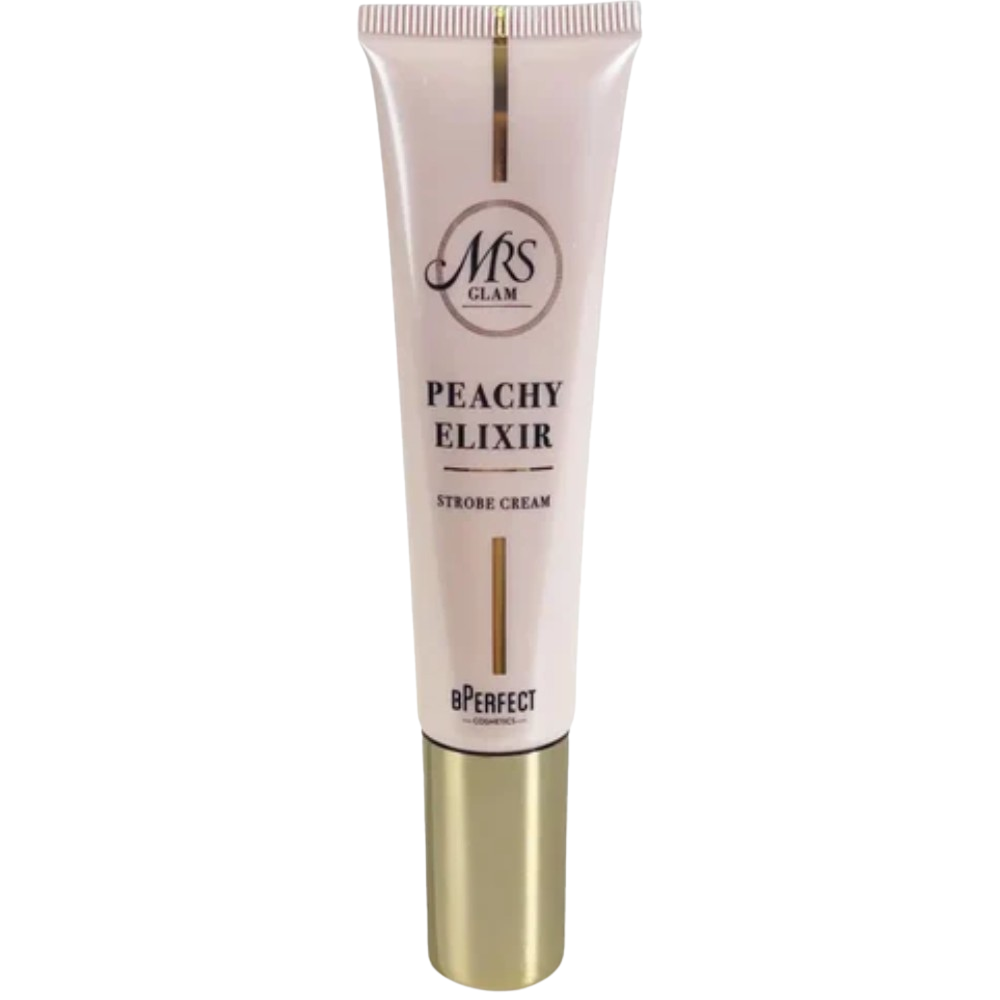
Bperfect Mrs Glam Peachy Elixir Strobe Cream for Face 35mL PeachyA foundation for dark spots and uneven skin tone. With a lightweight texture and a delightful peach scent, it effortlessly hydrates while addressing skin concerns such as dryness and uneven tone. Transform your makeup routine with a luminous glow that lasts all day. Multi-use formula: acts as a moisturiser, primer, illuminator, and highlighter.14,27 £*Shipping: 5,16 £Secure redirect to the provider
-
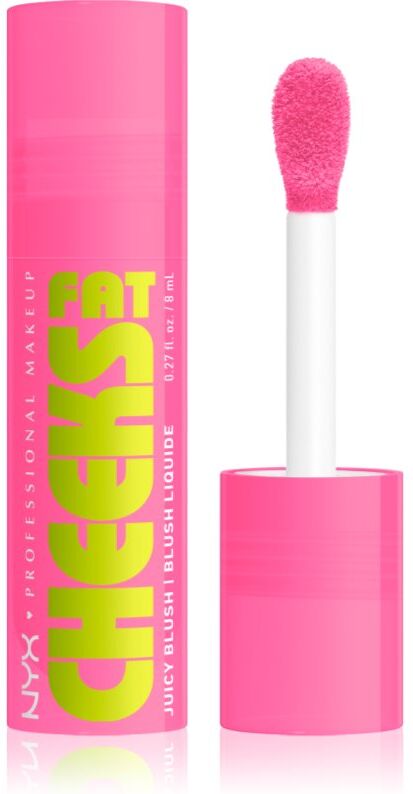
NYX Professional Makeup Fat Cheeks Juicy Blush liquid blusher shade 04 Dragon Fruit Drip 8 mlNYX Professional Makeup Fat Cheeks Juicy Blush, 8 ml, Blushers for Women, Do you want to give your face a healthy, fresh appearance? The NYX Professional Makeup Fat Cheeks Juicy Blush blusher is here to help. It envelops your cheeks in a soft hint of colour similar to the natural blushing process. But it’s also useful for highlighting features and visually altering the shape of your face, for example when you want your cheeks to appear lifted. Just apply a few layers with a brush or sponge and your cheeks will get a refreshed appearance to enhance any makeup style. Characteristics: gives your face a healthy colour creates a naturally blushing look brightens has a pleasantly soft, lightweight texture allows for a combination of shades long-lasting can be layered for a more intense look How to use: Apply using the applicator built into the lid. Blend thoroughly and evenly.6,24 £*Shipping: 3,99 £Secure redirect to the provider
-
Juicy Couture Viva La Juicy Scented Body Lotion 250mLA body lotion. It a luxurious, hydrating lotion that absorbs instantly, creating a silky-smooth feeling on the skin while lavishing the body with the signature notes of Viva La Juicy. Instantly hydrates and nourishes the skin. Leaves a silky-smooth texture. Features the signature Viva La Juicy fragrance.29,76 £*Shipping: 6,86 £Secure redirect to the provider


-
Can't you uninstall Instagram?
Yes, you can uninstall Instagram from your device. To uninstall the app, you can go to your device's settings, find the Instagram app, and select the option to uninstall it. Keep in mind that uninstalling the app will remove it from your device, along with all the data associated with it. **
-
Can't you uninstall Discord?
Yes, Discord can be uninstalled from your device. On a Windows computer, you can uninstall Discord by going to the Control Panel, selecting "Uninstall a program," and then choosing Discord from the list and clicking "Uninstall." On a Mac, you can uninstall Discord by dragging the application to the Trash and then emptying the Trash. On a mobile device, you can uninstall Discord like any other app by pressing and holding the app icon and then selecting "Uninstall" or "Delete." **
-
Did Ark uninstall itself?
No, Ark did not uninstall itself. Uninstallation of an application typically requires user action, such as selecting the uninstall option from the device's settings or using a third-party uninstaller app. If Ark is no longer present on your device, it is likely that it was uninstalled intentionally or accidentally by someone with access to the device. **
-
Does Battle.net uninstall itself?
No, Battle.net does not uninstall itself. If you want to remove Battle.net from your computer, you will need to manually uninstall it through the control panel or settings on your computer. Keep in mind that uninstalling Battle.net will also remove any games or content associated with it, so make sure to back up any important data before uninstalling. **


Can I uninstall Plugfree Network?
Yes, you can uninstall Plugfree Network from your computer. To do so, you can go to the Control Panel, then click on Programs and Features, find Plugfree Network in the list of installed programs, and select uninstall. Make sure to restart your computer after uninstalling Plugfree Network to complete the process. **
How do you uninstall properly?
To uninstall a program properly, you should first check if there is an uninstaller tool provided by the program itself. If not, you can go to the Control Panel on Windows or use the Applications folder on Mac to uninstall the program. Make sure to follow the prompts and confirm the uninstallation to remove all associated files and registry entries. Finally, it's a good idea to restart your computer after uninstalling a program to ensure all changes take effect. **
Top-Angebote
Products related to Uninstall:
-
Monika Blunder Beauty Sweet Talk Lip Gloss 4,9mL PfirsichA lip gloss. Get luscious lips with MB Sweet Talk Lip Gloss —a vegan, cruelty-free formula infused with fruit extracts for intense hydration and vibrant color. Intense hydration: Moisture-locking Fruit Extracts quench dry lips. Nourishing formula: Vitamin E Oils provide essential lip care. Silky smooth texture: Sustainable Brown Algae Oil ensures a comfortable wear.17,67 £*Shipping: 4,07 £Secure redirect to the provider
-
Gosh Juicy Lip Butter 002-Sweet TreatHealth and Beauty Lips Gosh Juicy Lip Butter 002-Sweet Treat What is Juicy Lip Butter? Juicy Lip Butter is a Gosh lip balm that's somewhere between a balm, lipstick, and gloss. It melts onto the lips like butter, leaving a translucent color with plenty of shine, but without the runny texture or sticky feel of a traditional lip gloss. Benefits Glazed effect finish: lips look juicy and luminous from the first stroke. Transparent to medium color, easy to wear without a mirror and without fear of going outside the outline. It contains nourishing oils and butters, such as shea and murumuru butter, and vitamin E , which leave lips feeling moisturized and comfortable. The manufacturer indicates a duration of up to 6 hours of comfort. Perfume-free and vegan-friendly formula, according to Gosh. Who is it for? For those who want the shine of a gloss with the convenience of a balm in stick form. It's perfect for natural makeup looks, for dry lips that don't tolerate matte lipsticks, and for anyone looking for a product for easy touch-ups throughout the day. How to apply Juicy Lip Butter? Glide the lipstick directly onto your lips with even pressure, following their natural shape. For added definition, line your lips before or after applying a lip pencil in a similar shade. For a more intense finish, apply a second coat over the first. Product use Lipstick for external use. Close the cap tightly after each use and store away from heat sources, as its buttery texture softens at high temperatures.9,57 £*Shipping: 3,99 £Secure redirect to the provider
-
Bperfect Mrs Glam Peachy Elixir Strobe Cream for Face 35mL PeachyA foundation for dark spots and uneven skin tone. With a lightweight texture and a delightful peach scent, it effortlessly hydrates while addressing skin concerns such as dryness and uneven tone. Transform your makeup routine with a luminous glow that lasts all day. Multi-use formula: acts as a moisturiser, primer, illuminator, and highlighter.14,27 £*Shipping: 5,16 £Secure redirect to the provider
-
NYX Professional Makeup Fat Cheeks Juicy Blush liquid blusher shade 04 Dragon Fruit Drip 8 mlNYX Professional Makeup Fat Cheeks Juicy Blush, 8 ml, Blushers for Women, Do you want to give your face a healthy, fresh appearance? The NYX Professional Makeup Fat Cheeks Juicy Blush blusher is here to help. It envelops your cheeks in a soft hint of colour similar to the natural blushing process. But it’s also useful for highlighting features and visually altering the shape of your face, for example when you want your cheeks to appear lifted. Just apply a few layers with a brush or sponge and your cheeks will get a refreshed appearance to enhance any makeup style. Characteristics: gives your face a healthy colour creates a naturally blushing look brightens has a pleasantly soft, lightweight texture allows for a combination of shades long-lasting can be layered for a more intense look How to use: Apply using the applicator built into the lid. Blend thoroughly and evenly.6,24 £*Shipping: 3,99 £Secure redirect to the provider
-
Can't you uninstall BullGuard?
Yes, BullGuard can be uninstalled from your device like any other software. To uninstall BullGuard, you can go to the Control Panel on Windows or use the uninstaller provided by the software on your device. Make sure to follow the correct steps to uninstall BullGuard to avoid any issues with your system. **
-
Can't you uninstall lol?
Yes, you can uninstall League of Legends (LoL) from your computer. To uninstall the game, you can go to the Control Panel on Windows, find the program in the list of installed applications, and select uninstall. Alternatively, you can use the uninstaller provided by the game itself. Keep in mind that uninstalling the game will remove all game files and progress, so make sure to back up any important data before uninstalling. **
-
Can't you uninstall Instagram?
Yes, you can uninstall Instagram from your device. To uninstall the app, you can go to your device's settings, find the Instagram app, and select the option to uninstall it. Keep in mind that uninstalling the app will remove it from your device, along with all the data associated with it. **
-
Can't you uninstall Discord?
Yes, Discord can be uninstalled from your device. On a Windows computer, you can uninstall Discord by going to the Control Panel, selecting "Uninstall a program," and then choosing Discord from the list and clicking "Uninstall." On a Mac, you can uninstall Discord by dragging the application to the Trash and then emptying the Trash. On a mobile device, you can uninstall Discord like any other app by pressing and holding the app icon and then selecting "Uninstall" or "Delete." **
Similar search terms for Uninstall
-
Juicy Couture Viva La Juicy Scented Body Lotion 250mLA body lotion. It a luxurious, hydrating lotion that absorbs instantly, creating a silky-smooth feeling on the skin while lavishing the body with the signature notes of Viva La Juicy. Instantly hydrates and nourishes the skin. Leaves a silky-smooth texture. Features the signature Viva La Juicy fragrance.29,76 £*Shipping: 6,86 £Secure redirect to the provider
-
Juicy Couture Viva La Juicy Eau de Parfum SprayAn eau de parfum. A fragrance that brings the luxury of haute couture from the house to your daily life. The excellent combination of Vanilla notes with Caramel enpraised by sensual Amber with the notes of vibrant Berries, the sweet Honeysuckle and the irreverence and freshness of Tangerine offer this luxurious liquid a unique and irresistible fragrance.56,25 £*Shipping: 15,29 £Secure redirect to the provider
-
Juicy Couture Viva La Juicy Sucrée Eau de Parfum SprayAn eau de parfum. Viva La Juicy Sucrée is a sweet dessert that combines fruits and flowers, notes of vanilla and sandalwood that overlap like the layers of a delicious cupcake. An irresistible combination of fruits and flowers with notes of vanilla and sandalwood that feels like tasting the topping of a creamy cupcake.47,53 £*Shipping: 15,29 £Secure redirect to the provider
-
Did Ark uninstall itself?
No, Ark did not uninstall itself. Uninstallation of an application typically requires user action, such as selecting the uninstall option from the device's settings or using a third-party uninstaller app. If Ark is no longer present on your device, it is likely that it was uninstalled intentionally or accidentally by someone with access to the device. **
-
Does Battle.net uninstall itself?
No, Battle.net does not uninstall itself. If you want to remove Battle.net from your computer, you will need to manually uninstall it through the control panel or settings on your computer. Keep in mind that uninstalling Battle.net will also remove any games or content associated with it, so make sure to back up any important data before uninstalling. **
-
Can I uninstall Plugfree Network?
Yes, you can uninstall Plugfree Network from your computer. To do so, you can go to the Control Panel, then click on Programs and Features, find Plugfree Network in the list of installed programs, and select uninstall. Make sure to restart your computer after uninstalling Plugfree Network to complete the process. **
-
How do you uninstall properly?
To uninstall a program properly, you should first check if there is an uninstaller tool provided by the program itself. If not, you can go to the Control Panel on Windows or use the Applications folder on Mac to uninstall the program. Make sure to follow the prompts and confirm the uninstallation to remove all associated files and registry entries. Finally, it's a good idea to restart your computer after uninstalling a program to ensure all changes take effect. **
* All prices are inclusive of VAT and, if applicable, plus shipping costs. The offer information is based on the details provided by the respective shop and is updated through automated processes. Real-time updates do not occur, so deviations can occur in individual cases. ** Note: Parts of this content were created by AI.